
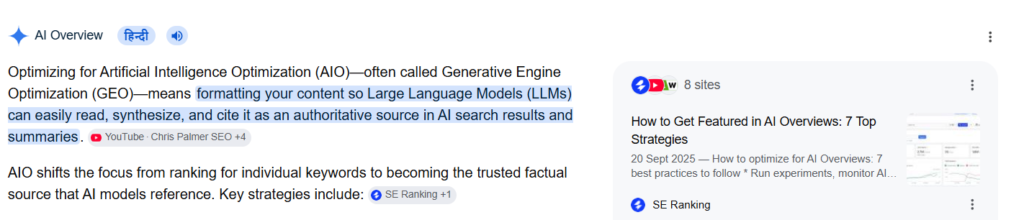
Google’s search landscape has shifted permanently. Standard search engine optimization (SEO) is no longer just about ranking in the top ten blue links; it is about earning a coveted spot inside the Google AI Overview (AIO).
When Google pulls content into an AI Overview, it summarizes answers directly at the top of the search engine results page (SERP). If your website is the source of that information, your click-through rates skyrocket. If not, your organic traffic faces a steep decline.
Many generic guides tell you to “write high-quality content” or “use keywords.” But optimization for AI-driven engines requires an entirely different technical and structural playbook.
This checklist covers the deep, often skipped tactics that will truly optimize your site for Google AIO.
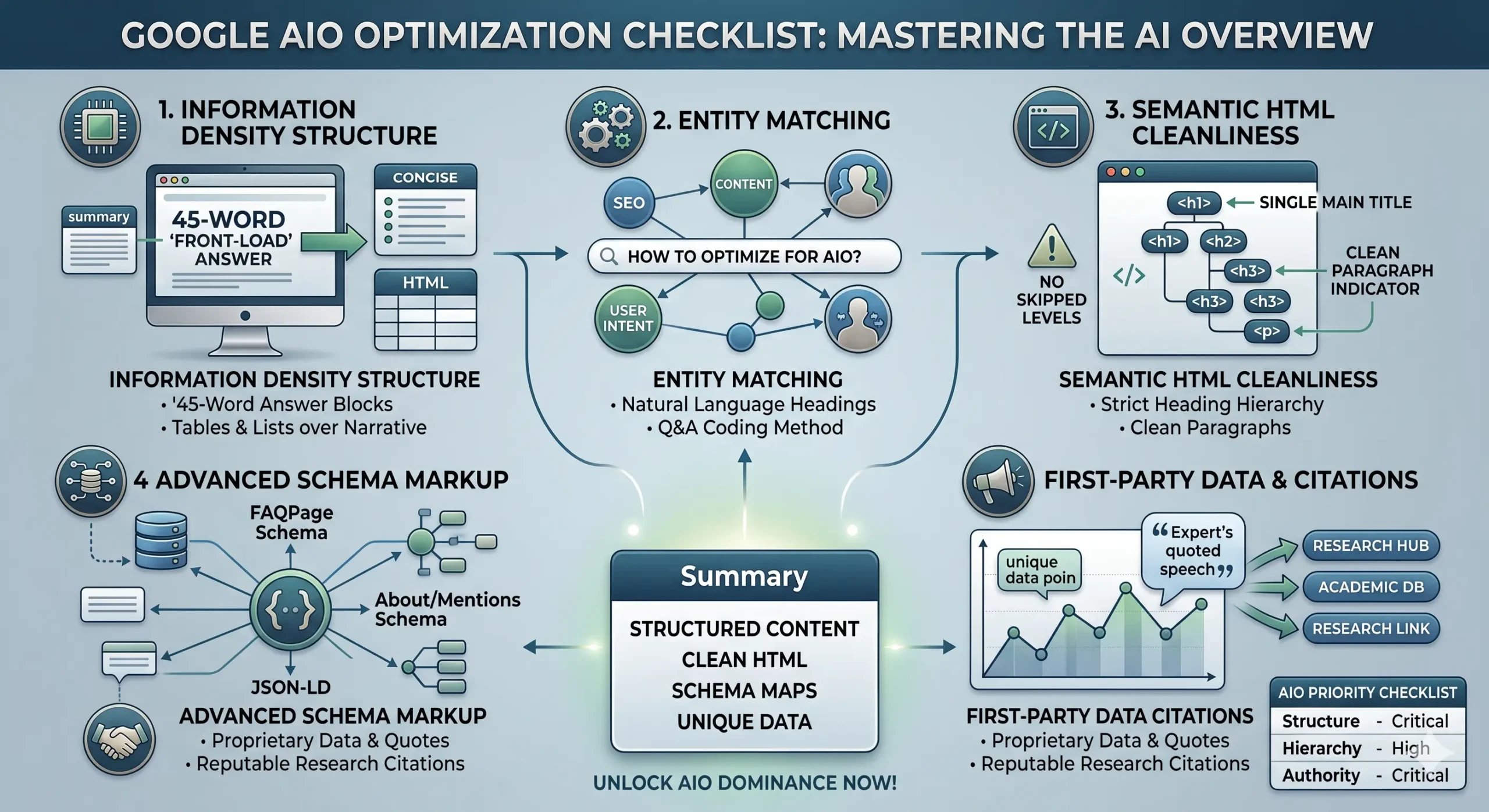
1. The “Information Density” Structure (The Skim Test)
AI models are trained to extract maximum value from minimum text. If your content is buried under paragraphs of conversational fluff, the AI scraper will pass you by.
- The Front-Loading Rule: Answer the core query in the very first sentence of your section. Place the definition or solution immediately under your
<h2>or<h3>heading. - The 45-Word Summary Block: Keep your summary answers between 40 to 50 words. Google’s algorithms love to grab neat, bite-sized blocks of text to display as the definitive answer snippet.
- The Table and List Advantage: If a process has more than three steps, do not use narrative prose. Use bulleted lists (
<ul>) or HTML tables (<table>). Google AIO regularly lifts cleanly structured tables directly into the generative UI because they represent highly organized data.
2. Implement Question-to-Answer Entity Matching
Google’s AI Overview doesn’t just match keywords; it connects entities (people, places, concepts, things) and maps user intent.
- Match Natural Language: Structure your headings exactly like the voice or text queries users type. Instead of writing a heading like
## AIO Strategy, use## How do you optimize a website for Google AI Overviews? - Use the Q&A Coding Method: Explicitly state the question, immediately followed by a bolded indicator like Answer: or The short answer is… This direct signaling acts like a green light for AI crawlers looking for explicit answers.
3. The Obvious Step Everyone Skips: HTML Tag Cleanliness
Many modern websites suffer from “div soup”—messy, javascript-heavy code where headings are styled using generic tags like <span class="bold-text-large"> instead of proper semantic HTML.
Large language models rely heavily on clean semantic code to understand context efficiently. If your HTML hierarchy is broken, the AI cannot confidently map your page layout.
The Strict HTML Hierarchy Checklist
<h1>: Reserved exclusively for the main blog title (Only one per page).<h2>: Used for major structural questions and core concepts.<h3>: Used for sub-steps, tools, or specific examples under an<h2>.- No Skipped Levels: Never jump from an
<h1>straight to an<h3>. Keep the chain intact. - Clean Paragraphs: Ensure your text blocks are cleanly wrapped in
<p>tags without stray, empty breaks (<br>).
4. Advanced Schema Markup (The AI Data Map)
Standard schema markup helps standard Google search, but advanced semantic schema is what feeds Google AIO. To stand out, go beyond basic article schema.
- FAQPage Schema: Dynamically inject JSON-LD FAQ schema onto your pages. When your on-page text perfectly mirrors your schema text, Google’s AI can verify the accuracy of your content instantly.
- About and Mentions Schema: Use schema properties to explicitly state what your page is about and what other major entities it mentions. This eliminates ambiguity for the AI model.
5. First-Party Data & Original Citations
AI Overviews are designed to summarize existing knowledge. However, Google actively penalizes AI summaries that simply regurgitate other AI summaries. To be cited as a source link in an AIO block, you must offer unique informational value.
- Quote Internal Experts: Include original quotes from professionals within your organization.
- Publish Proprietary Data: Share original statistics, charts, or case study findings. Google values data points that cannot be found anywhere else on the web.
- Link out to High-Authority Nodes: Don’t be afraid to link out. Linking your claims to reputable research spaces—like the Google Search Central Blog or academic databases—proves to the AI that your content is grounded in fact.
Also Read: Top website Audit tools for AIO optimization
The Ultimate Google AIO Optimization Checklist
| Optimization Focus | Action Item | Priority |
| Structure | Place a 45-word direct answer immediately below the main <h2>. | Critical |
| Formatting | Convert complex data into native HTML tables or bulleted lists. | High |
| Hierarchy | Audit code to ensure absolute sequential order of <h1> through <h3>. | High |
| Technical | Deploy JSON-LD FAQ Page Schema matching on-page Q&As. | Medium |
| Authority | Insert unique, first-party data or expert commentary. | Critical |
Summary
Optimizing for Google AI Overviews requires a shift from keyword repetition to structured context building. To win the top spot, you must format content for rapid machine extraction: write crisp 45-word answers directly beneath natural language headings, maintain flawless semantic HTML hierarchy, and leverage advanced schema data maps. By removing filler text and anchoring your claims with unique, first-party data, you position your website as the most authoritative, crawlable answer source on the web.